Facebook Reels Downloader
Download high-quality Facebook reels videos online
Simply paste the link of the reel
Facebook Reels Downloader | IGsaver
It is not possible to save a Facebook reel directly from Facebook. We developed this Facebook Reels Downloader, an online app, to overcome this issue. With the support of the IGsaver Facebook reels downloader tool, you can download a public Facebook reel in high quality quickly. All you need is the link of the reel. Videos are downloaded in MP4 format.
Features Of Facebook Reels Downloader
- Download public Facebook reels
- Download in high quality MP4
- Unlimited downloads
Why Choose IGsaver?
A fast, free and private way to save your favourite Instagram and Facebook media, with no catch.
100% Free
Completely free with no hidden fees or subscriptions. Download as often as you like.
No Sign-Up Needed
No account, email or login required. Just paste a link and download.
Safe & Private
We never ask you to log in, and we don't store the links you paste or the files you download.
Original Quality
Photos and videos are saved in the highest quality Instagram provides.
Every Content Type
Reels, videos, photos, stories, highlights and profile pictures are all supported.
Instagram & Facebook
One simple tool for both Instagram media and Facebook reels.

Coming Soon On Playstore
We are working hard on developing an IGsaver - Instagram Downloader android app. The app will be available on playstore soon with more functionalities, high performance and improvements.
How To Download Facebook Reels?
Open the reel on Facebook, use Copy link, and paste it in the box above.
Make sure the link is in the following format.
| POST TYPE | URL FORMAT |
|---|---|
| Facebook Reel |
|
How To Download Facebook Reels On PC?
Here is a step-by-step guide to download Facebook reels on PC or laptops.
Let us see how you can use our IGsaver Facebook reels downloader:
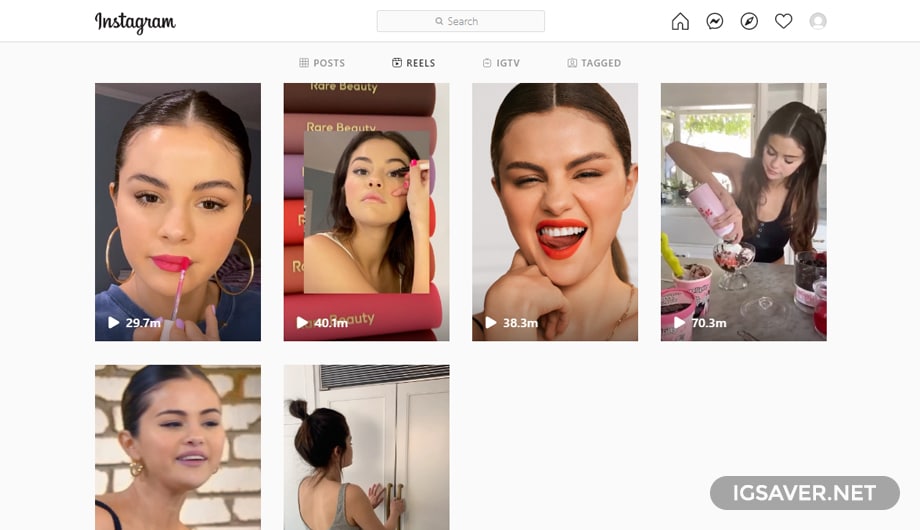
STEP 1
Open the Facebook reel you would like to download.
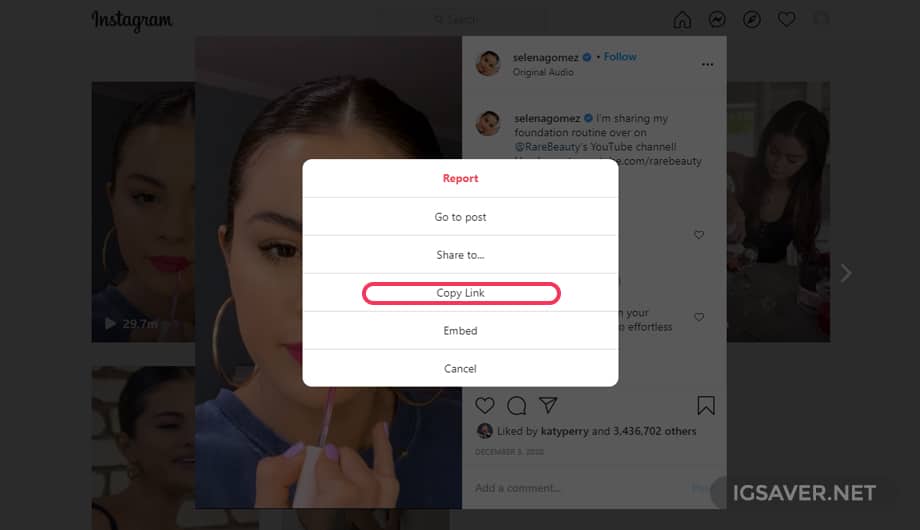
STEP 2
Copy the reel link from the share menu or the address bar.
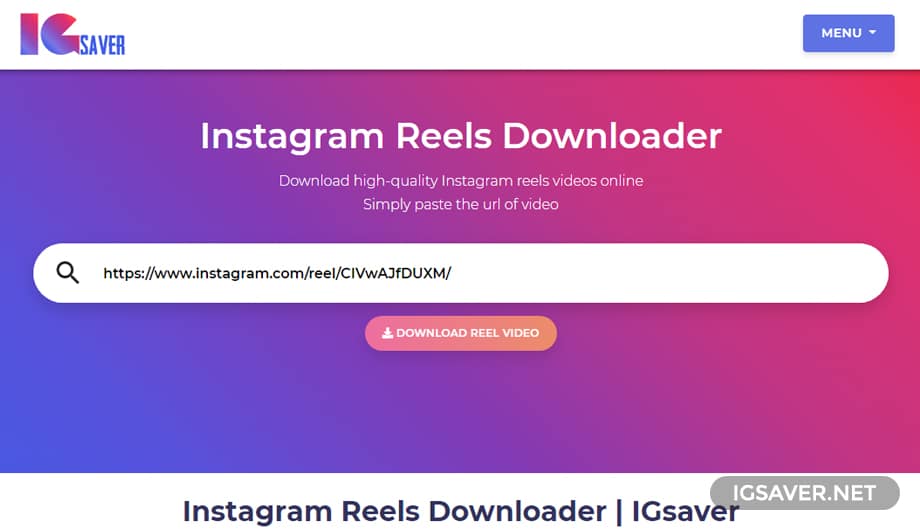
STEP 3
Paste the reel link into the box above and click the download button.
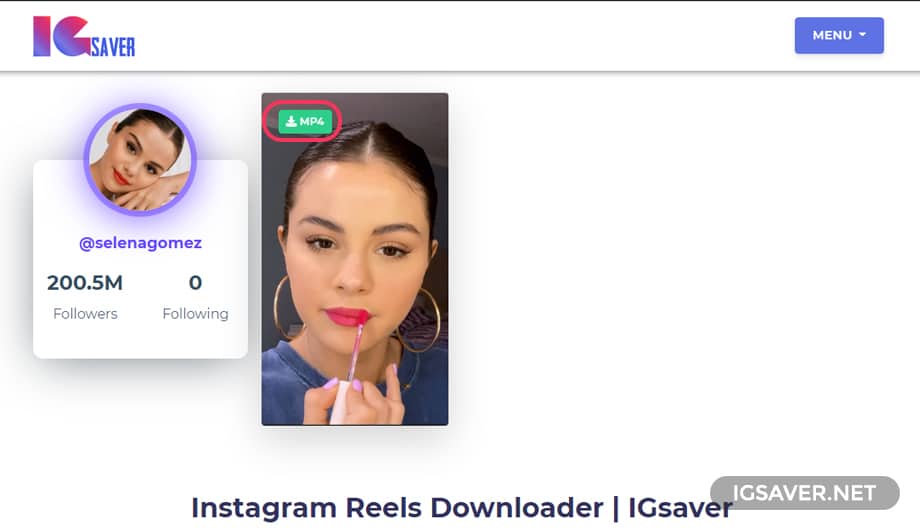
STEP 4
Finally, click on the MP4 button to download the reel video.
How To Download Facebook Reels
On Mobile( Iphone or Android)?
No need to install any extra apps, just visit igsaver.net.
Here is a step-by-step guide to download Facebook reels on mobile devices Android or iPhone.
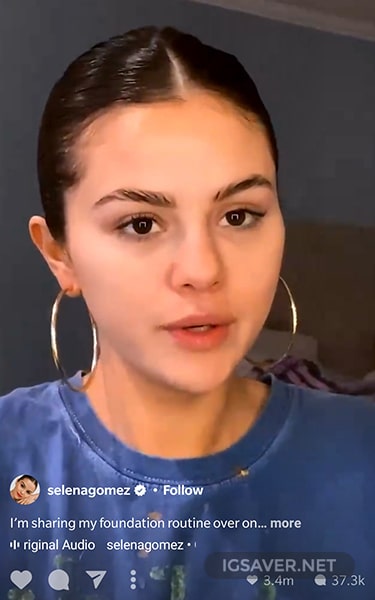
STEP 1
Open the reel on the Facebook mobile app.
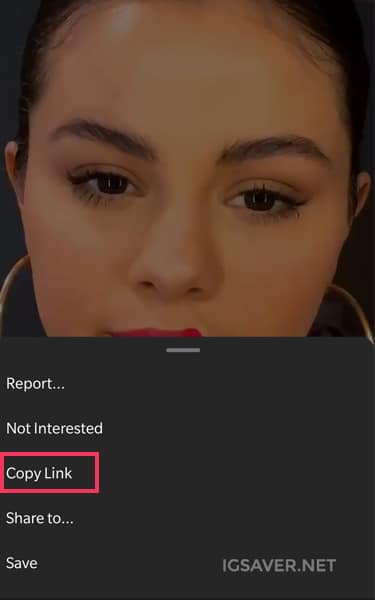
STEP 2
Tap the share icon and tap Copy link.
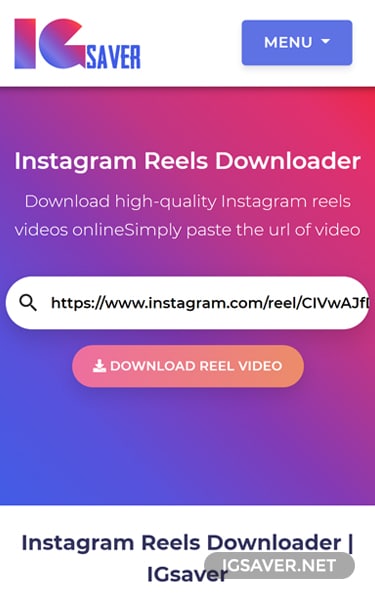
STEP 3
Paste the link you copied in the previous step.
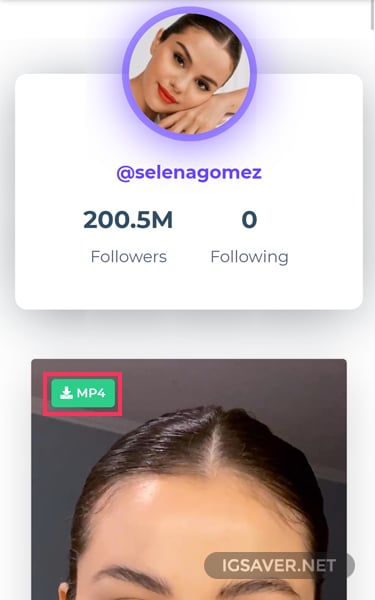
STEP 4
Finally, click on the MP4 button to download the Facebook reel on mobile devices.